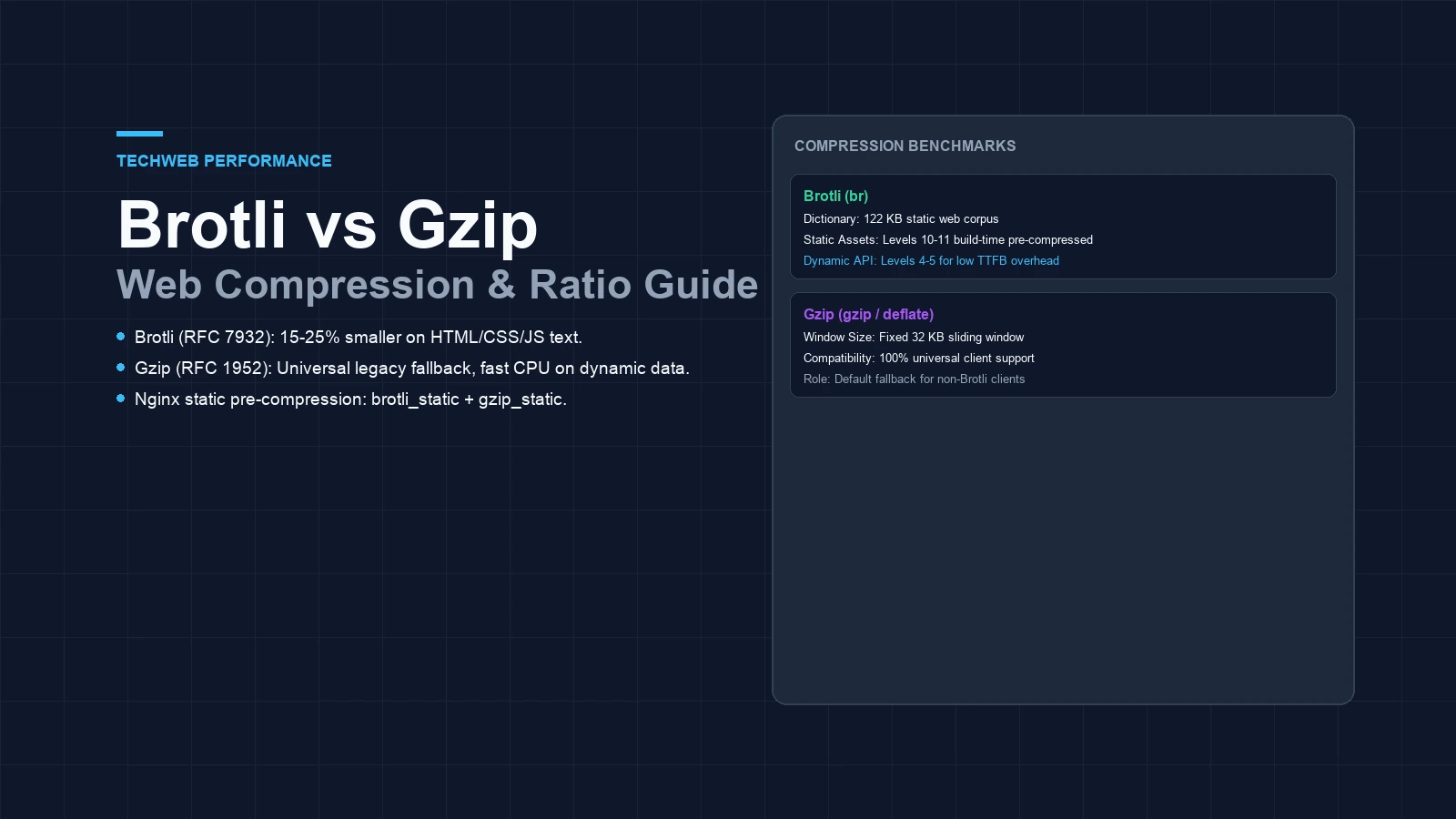
- The modern RFC 7932 codec cuts HTML, CSS, and code weights by fifteen to twenty-five percent compared to DEFLATE archives.
- Aggressive compression levels spike CPU load.
- Pre-compressing static bundles with both tools gives fast load times with zero server CPU drag.
Brotli vs gzip compression: how modern web encoding evolved
When tuning web delivery, brotli vs gzip compression is the main choice for shrinking text files. Modern web browsers ask for compressed assets using the HTTP Accept-Encoding header. Picking the right tool cuts network transfer time. Smaller files speed up your Largest Contentful Paint metrics.
DEFLATE has served the web for decades. It uses the DEFLATE algorithm from RFC 1952. It runs fast. But its small thirty-two kilobyte memory window misses large repeat code blocks in modern web scripts.
The newer algorithm arrived in 2015 under RFC 7932. It uses a sliding window up to sixteen megabytes. It also holds a static dictionary of common web words. As shown in our CSP nonce vs hash guide, modern architecture cuts overhead on every web text asset.
Brotli vs gzip compression ratio across web assets
Compression ratios shift with each file type. Code files pack down tight. The table below shows real byte savings across typical production files.
Labelled example: Byte size comparison of standard web assets under Gzip level 6 versus Brotli levels 4 and 11.
| Asset Type | Uncompressed | Gzip (Level 6) | Brotli (Level 4) | Brotli (Level 11) | Byte Advantage |
|---|---|---|---|---|---|
| Application JavaScript (bundle.js) | 520 KB | 142 KB | 128 KB | 114 KB | 19.7% smaller |
| Production Stylesheet (app.css) | 160 KB | 36 KB | 31 KB | 27 KB | 25.0% smaller |
| HTML Landing Page (index.html) | 84 KB | 22 KB | 19 KB | 16 KB | 27.2% smaller |
| API JSON Response (data.json) | 310 KB | 68 KB | 62 KB | 56 KB | 17.6% smaller |
The newer algorithm delivers smaller files across each asset type. Stylesheets and HTML see big gains. Just as image format choices in our modern image format guide save image bytes, dictionary encoding cuts text transfer weight.
Compression speed and server CPU usage tradeoffs
Ratio is only half the story. Compressing files on the fly burns CPU time. If server compression takes too long, slow response times erase your bandwidth savings.
The DEFLATE standard offers nine distinct compression levels, with most production servers standardizing on level 5 or 6. That range balances CPU work and byte savings. Gzip compresses swiftly without stalling dynamic web apps.
The newer tool offers eleven compression levels. Levels 1 through 4 run quickly with minimal CPU overhead, making them ideal for dynamic routes. In contrast, levels 9 to 11 perform aggressive dictionary searches. Packing a large script at level 11 can tie up CPU cores for hundreds of milliseconds. Save level 11 for static build scripts.
Client decompression time on mobile devices
Client unpack time matters for mobile phones. If a phone spends too long unpacking data, the browser stalls.
Both tools decompress fast. Benchmarks show modern unpack speed matches older tools on phones and laptops. Mobile decompression runs quickly.
Because the modern format sends fewer bytes, pages load sooner. Mobile devices on cell links gain speed without extra CPU lag.
Nginx configuration and dual-encoding setup
A solid web stack does not force a single choice. You can run both tools side by side. Nginx can serve static modern files while keeping classic fallbacks for older clients.
Set up ngx_brotli and turn on static file checks. Pre-pack files during your code build step. Here is a working Nginx block:
# Enable classic dynamic and static delivery
gzip on;
gzip_comp_level 5;
gzip_min_length 1024;
gzip_types text/plain text/css application/javascript application/json application/xml image/svg+xml;
gzip_static on;

# Enable modern dynamic and static delivery
brotli on;
brotli_comp_level 4;
brotli_min_length 1024;
brotli_types text/plain text/css application/javascript application/json application/xml image/svg+xml;
brotli_static on;

# Enforce secure HTTPS transport
add_header Strict-Transport-Security "max-age=31536000; includeSubDomains" always;
The directive brotli_static tells Nginx to look for files with a .br ending. If bundle.js.br sits on disk, Nginx sends it right away without extra CPU work. When adding script checks from our subresource integrity guide, make sure hashes match raw source files.
Browsers negotiate the modern algorithm exclusively across encrypted HTTPS connections rather than unencrypted cleartext channels to protect against proxy tampering. Plain HTTP drops the br flag from headers. Pairing the format with security rules like our HSTS subdomain readiness guide keeps all traffic secure and fast.
Architecture decision matrix for engineering teams
Choosing your compression plan depends on how often files change. Use the guide below to set up your site:
| Operational Scenario | Recommended Format | Recommended Level | Implementation Strategy |
|---|---|---|---|
| Static JavaScript & CSS Bundles | Brotli (.br) | Level 10 or 11 | Pre-compress in build pipeline with brotli_static. |
| Dynamic API JSON Payloads | Gzip or Brotli | Gzip 5 / Brotli 4 | Compress on the fly with low CPU footprint. |
| Server-Rendered HTML Pages | Brotli (.br) | Level 4 or 5 | On-the-fly compression balancing TTFB and byte savings. |
| Legacy Clients and Proxies | Gzip (.gz) | Level 6 | Automated fallback via HTTP Accept-Encoding header. |
Using both tools gives you the best speed. Static assets travel in the smallest possible files. Dynamic APIs stay fast with zero CPU waste.
Frequently asked questions
What is the primary difference between Brotli and Gzip compression?
Brotli uses a 122 KB static dictionary of common web words and a wide sliding window, giving 15% to 25% tighter compression on code files than Gzip's fixed 32 KB DEFLATE window.
Should you use Brotli for dynamic server responses?
Yes, but stick to low levels like 4 or 5. Higher Brotli levels burn too much CPU time and delay initial server response.
Does Brotli replace Gzip completely?
No. Gzip is still needed for plain HTTP traffic and legacy proxies, since modern browsers only take Brotli over secure HTTPS links.
How does pre-compression help web server performance?
Making static .br and .gz files during software builds lets servers like Nginx send files straight from disk without burning CPU power.
Sources and technical references
IETF RFC 7932: Brotli Compressed Data Format · IETF RFC 1952: GZIP File Format Specification · Nginx ngx_http_gzip_module Documentation · Google Web Fundamentals: Optimizing Content Encoding.