- Caddy manages TLS certificates automatically with built-in ACME protocols.
- Nginx uses less memory and offers proven high-concurrency event loops.
- Caddy supports HTTP/3 and WebSockets without extra boilerplate.
Caddy vs Nginx reverse proxy architecture and core tradeoffs
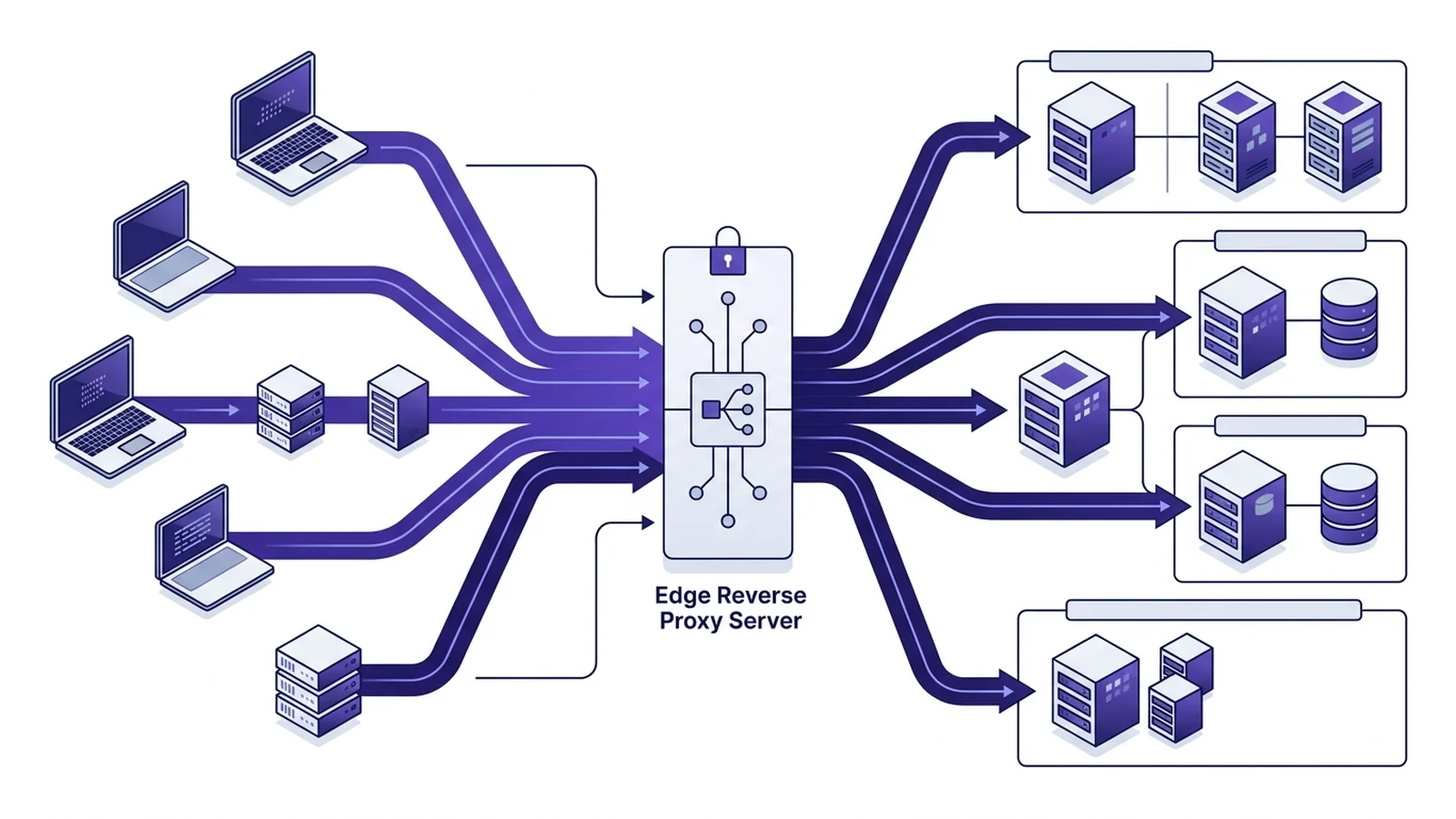
Choosing between a caddy vs nginx reverse proxy comes down to setup speed versus low memory use. Caddy offers built-in TLS and HTTP/3 support out of the box. Setup is swift. Nginx provides a tiny memory footprint and decades of rock-solid reliability. Both tools route traffic well. Yet their daily upkeep patterns differ sharply.
For years, running an edge proxy meant managing Certbot cron jobs. It took effort. A broken renewal script could quietly knock public websites offline. The modern engine eliminates this operational risk completely. It requests certificates on first access. Then it renews those certificates automatically in the background.
Nginx follows a traditional manual path. Engineers must write server blocks by hand. You must define certificate paths and manage renewal scripts. This model grants total granular control. But it creates ongoing maintenance work for small teams.
Configuration simplicity and production boilerplate comparison
Config syntax shapes how quickly engineers deploy new services. Nginx relies on text blocks divided across events, http, and server contexts. This structure offers deep control over network buffers. Even so, setting up a basic reverse proxy requires extra boilerplate code.
To run a secure proxy with Nginx, you must manage two distinct listener ports. You configure port 80 to redirect plaintext traffic to HTTPS. Port 443 terminates TLS sessions. Engineers must define cipher suites, certificate paths, and custom headers for client IP forwarding.
In contrast, the Go-based proxy uses a friendly format called the Caddyfile. The syntax is clean. It assumes safe production defaults from the start. It activates TLS automatically, requests certificates from Let's Encrypt or ZeroSSL, and redirects HTTP requests without extra lines. Furthermore, it forwards standard WebSocket and client headers by default.
Side-by-side production configuration comparison
Consider routing secure inbound traffic to an API backend running locally on port 8080. The contrast is clear.
| Operational Task | Nginx Configuration (nginx.conf) | Caddy Configuration (Caddyfile) |
|---|---|---|
| Basic Reverse Proxy | Requires upstream block, location context, and proxy_pass directive | Single reverse_proxy directive pointing to backend address |
| HTTPS Redirection | Explicit port 80 server block with return 301 directive | Handled automatically without additional lines |
| TLS Certificates | Explicit ssl_certificate and ssl_certificate_key paths | Managed automatically via ACME protocol |
| WebSocket Pass-through | Explicit Upgrade and Connection header variables required | Automatic pass-through enabled by default |
| HTTP/3 (QUIC) | Requires explicit quic listen directives and build flags | Enabled by default in standard binary distribution |
Performance characteristics and resource utilization
Across standard web workloads, raw throughput gaps stay small. Backend app code and database calls cause most user wait time. But when testing caddy vs nginx performance on small hosts, internal design starts to show. Memory use differs.
When analyzing caddy vs nginx memory usage, Nginx wins easily. It is built in C with an event loop. It has no background runtime engine. Because of this, an idle Nginx process takes only three megabytes of RAM. It handles tons of hits without high memory growth.
Caddy runs on Go. Go uses a runtime engine to clean up memory. Thus, Caddy needs thirty to forty megabytes of base RAM. This gap means little on big cloud boxes. Yet on tiny test nodes with many tasks, Nginx keeps RAM low. For raw network speed, both tools saturate gigabit links.
Architectural comparison matrix
Check the table below to see how key traits match up between both web servers.
| Feature | Nginx (Open Source) | Caddy (Version 2) |
|---|---|---|
| Programming Language | C (compiled native) | Go (memory-safe runtime) |
| Automatic TLS | Requires external ACME client (Certbot) | Native built-in ACME engine |
| Default HTTP/3 Support | Supported in recent builds (opt-in configuration) | Native and active by default |
| Dynamic Configuration API | Available in commercial Nginx Plus | Native JSON REST API out of the box |
| Idle Memory Footprint | Significantly lower idle memory footprint (C event loop) | Higher idle memory footprint (Go runtime and garbage collector) |
| Built-in Compression | Standard Gzip compression support | Built-in Gzip compression support |
| Configuration Reloads | Zero-downtime reload via system signals | Zero-downtime reload via CLI or REST API |
Operational decision checklist for engineering teams
Picking the best proxy depends on your team goals and upkeep time:
- Pick Caddy for modern microservices and web apps. Its automated certificates eliminate repetitive tasks. Setup takes minutes.
- Pick Caddy when you host client domains. Its dynamic certificates issue on the fly across multiple production nodes.
- Pick Caddy if you want HTTP/3 and WebSockets without custom modules. Defaults work well.
- Pick Nginx for massive static file sites where low RAM and high hit counts matter most. It stays lean.
- Pick Nginx if your team runs legacy web setups, old WAF rules, or custom log scripts.
Modern web stacks need fast layers. It takes careful planning. To study compression savings, read our guide on Brotli vs Gzip compression. For safe transport details, check our guide on DNS over HTTPS vs DNS over TLS. You can also read our review of Ed25519 vs RSA keys for SSH and edge safety.
Frequently asked questions
Why do engineering teams choose Caddy over Nginx?
Teams select Caddy for automated TLS certificates. It issues certificates by default without external sidecar tools. It also reduces configuration boilerplate code significantly.
Does Nginx consume less memory than Caddy in production?
Yes. Nginx uses less RAM. Written in native C, its event loop runs without runtime garbage collection overhead.
Can Caddy handle heavy production traffic reliably?
Caddy manages high traffic smoothly. Upstream database latency affects overall response time far more than reverse proxy routing overhead.
Does Caddy proxy WebSocket connections automatically?
Yes. Caddy detects and passes WebSocket headers by default. Nginx requires explicit proxy header configuration directives.