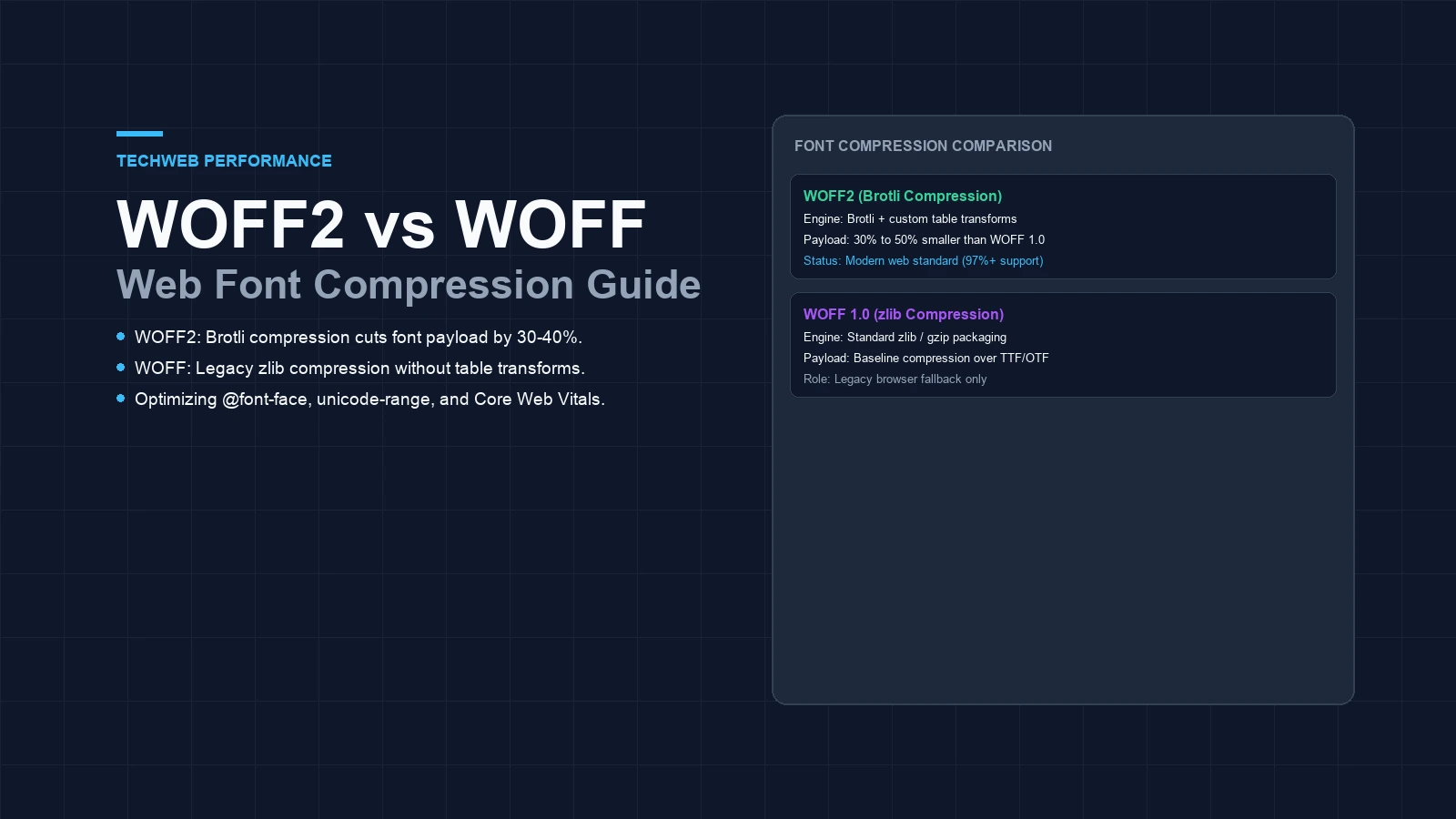
- WOFF2 uses Brotli compression with custom table transforms to reduce font sizes by 30% to 50% compared to WOFF 1.0.
- Over 97% of global web browsers natively support WOFF2, allowing teams to safely drop legacy WOFF fallbacks.
- Combining WOFF2 with unicode-range subsetting and font-display swap eliminates render-blocking delay and layout shift.
WOFF2 vs WOFF: core compression differences
WOFF2 vs WOFF: which font format should you choose for modern web development? Pick WOFF2 for modern sites. WOFF2 cuts file weights by thirty to fifty percent compared to earlier web standards. It uses the Brotli engine paired with custom table transforms to save network bandwidth.
The original WOFF standard relied on basic zlib compression. While that was a big step forward in 2009, modern mobile networks need leaner payloads. Heavy files slow down page paints. They delay text rendering for mobile users on weak signals.
Web fonts shape user experience. Late text assets force layout shifts or leave empty gaps on the screen. Choosing between WOFF2 and WOFF sets your initial rendering speed. This guide looks at compression efficiency, browser limits, and CSS rules.
How Brotli transforms reduce font file weights
Why does WOFF2 pack data so tightly? The answer starts with custom preprocessing. Original WOFF packaged data as generic bytes. It ran zlib deflate without reading internal glyph tables.
In contrast, WOFF2 cleans up internal tables before compression starts. The transform strips out repeat data. It aligns coordinates and clears unneeded padding across glyph outlines. This step makes the stream easier to pack.
Then Brotli does its work. Brotli draws on a built-in dictionary of common web patterns. Together, these steps produce files that are up to fifty percent lighter than earlier releases. Smaller packages mean fast delivery to phones and tablets.
WOFF2 vs WOFF technical feature matrix
Picking web assets takes clear performance data. The table below stacks both standards against each other across core metrics.
| Technical property | WOFF 1.0 (2009) | WOFF2 (2014) |
|---|---|---|
| Compression algorithm | zlib (Deflate stream) | Brotli with preprocessing |
| Table transformation | None (raw font tables) | Transformed glyf and loca tables |
| Average size reduction | 40% over raw TTF/OTF | 60% to 70% over raw TTF/OTF |
| Global browser support | 98% (including legacy IE) | 97%+ (universal modern support) |
| MIME content type | font/woff | font/woff2 |
| Standard specification | W3C Recommendation 2012 | W3C Recommendation 2018 |
| Recommended role | Legacy fallback only | Modern production default |
Browser compatibility and legacy fallback rules
Do you still need to keep the older format around? For most sites today, you do not. Modern browsers support WOFF2 right out of the box. Chrome, Safari, Firefox, and Edge have loaded it for years.
Global stats show that ninety-seven percent of web traffic uses modern browsers. The only setups that still need legacy files are old systems like Internet Explorer 11. Ancient mobile screens may also need them.
Holding two sets of assets wastes server space. You have to build and cache twice as many files. If your logs show modern visitors, drop old files. As our guide on modern image format choices shows for pictures, lean defaults win.
Configuring modern font loading in production CSS
Clean CSS helps browsers fetch assets fast. If you must keep a fallback, put WOFF2 first in your rule. Browsers read the list in order and grab the first match they know.
Here is a safe CSS setup that keeps an older fallback:
@font-face {
  font-family: 'Inter';
  font-style: normal;
  font-weight: 400 700;
  font-display: swap;
  src: url('/fonts/inter.woff2') format('woff2'),
       url('/fonts/inter.woff') format('woff');
}
If you drop old browsers, keep only the top source line. Setting font-display to swap lets visitors read system text right away while custom styles download.
Subsetting glyphs and preloading critical font files
Even a tiny file wastes time if it holds characters you never show. Full sets often pack thousands of shapes for math and foreign alphabets that local readers never see.
Subsetting cuts out that dead weight. By saving only basic letters and numbers, you can shrink an eighty-kilobyte file down to twenty kilobytes. Use unicode-range in CSS to fetch extra glyphs only when a page needs them.
Preload your main headline files in HTML. Add a link tag with a preload hint to your page head. Pair this step with tips from our guide on prerendering and asset prefetching so bytes arrive early.
Impact on Core Web Vitals and layout stability
Fast text delivery helps your search ranking metrics. Slow files create two bad visual problems. Visitors either see blank space where text belongs or watch styles jump abruptly.
When a browser delays drawing words, Largest Contentful Paint slows down. Users stare at blank boxes. Delivering light files from your own domain avoids outside network hops.
Also, matching system metrics stops layout shift. If letter spacing shifts when styles arrive, the whole page can jump. Read our guide on accessible typography standards and check our notes on resource validation headers to keep pages stable.
Frequently asked questions about WOFF2 and WOFF
What is the main difference between WOFF and WOFF2?
WOFF uses zlib compression while WOFF2 uses Brotli with custom font preprocessing tables to achieve 30% to 50% smaller files.
Do modern websites still need WOFF fallbacks?
No. Modern browsers offer over 97% support for WOFF2. Unless you must support Internet Explorer 11 or very old mobile devices, you can drop WOFF entirely.
How much smaller is WOFF2 compared to WOFF?
WOFF2 files are typically 30% to 50% smaller than equivalent WOFF files and up to 70% smaller than uncompressed TTF or OTF fonts.
Can you convert existing TTF or OTF fonts to WOFF2?
Yes. Command line tools like woff2_compress or fonttools let developers compress raw font files into optimized WOFF2 binaries during automated builds.
Sources and technical documentation
- W3C WOFF File Format 2.0 Recommendation
- W3C WOFF File Format 1.0 Recommendation
- Google Web Fundamentals: Reduce Web Font Size